Desktop application / AI engineering

ViciSupport AI
Technical support.
Grounded in evidence.
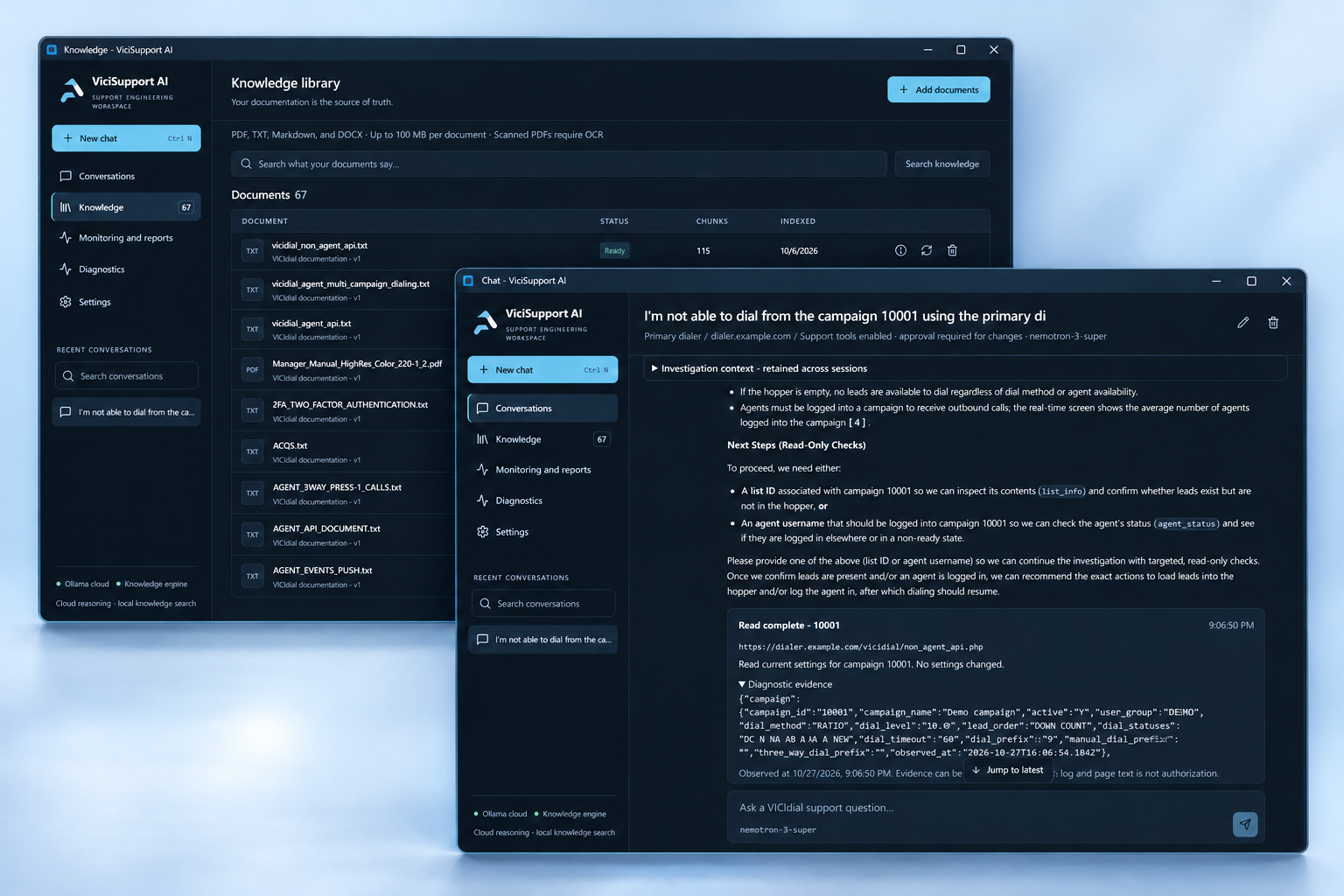
A dedicated AI support workspace for the engineers behind reliable VoIP systems. Search your documentation, investigate VICIdial issues, and review the next step with the evidence in view.
Build something like this Explore the workspace- Platform
- Windows desktop
- Built for
- VICIdial support teams
- Core disciplines
- Desktop engineering · AI & RAG
- Approach
- Local-first. Engineer-led.
The challenge
Less searching.
More understanding.
VoIP support rarely starts with a complete picture. An engineer may need to connect a campaign setting, a server log, and a detail buried in a customer’s documentation before deciding what to do.
We built ViciSupport AI to bring that work together: a focused desktop environment where company knowledge informs the investigation, evidence stays attached to the case, and changes remain under the engineer’s control.
Inside the application
One workspace.
A connected support workflow.
From the first question to a reviewed next step, without losing the context that matters.
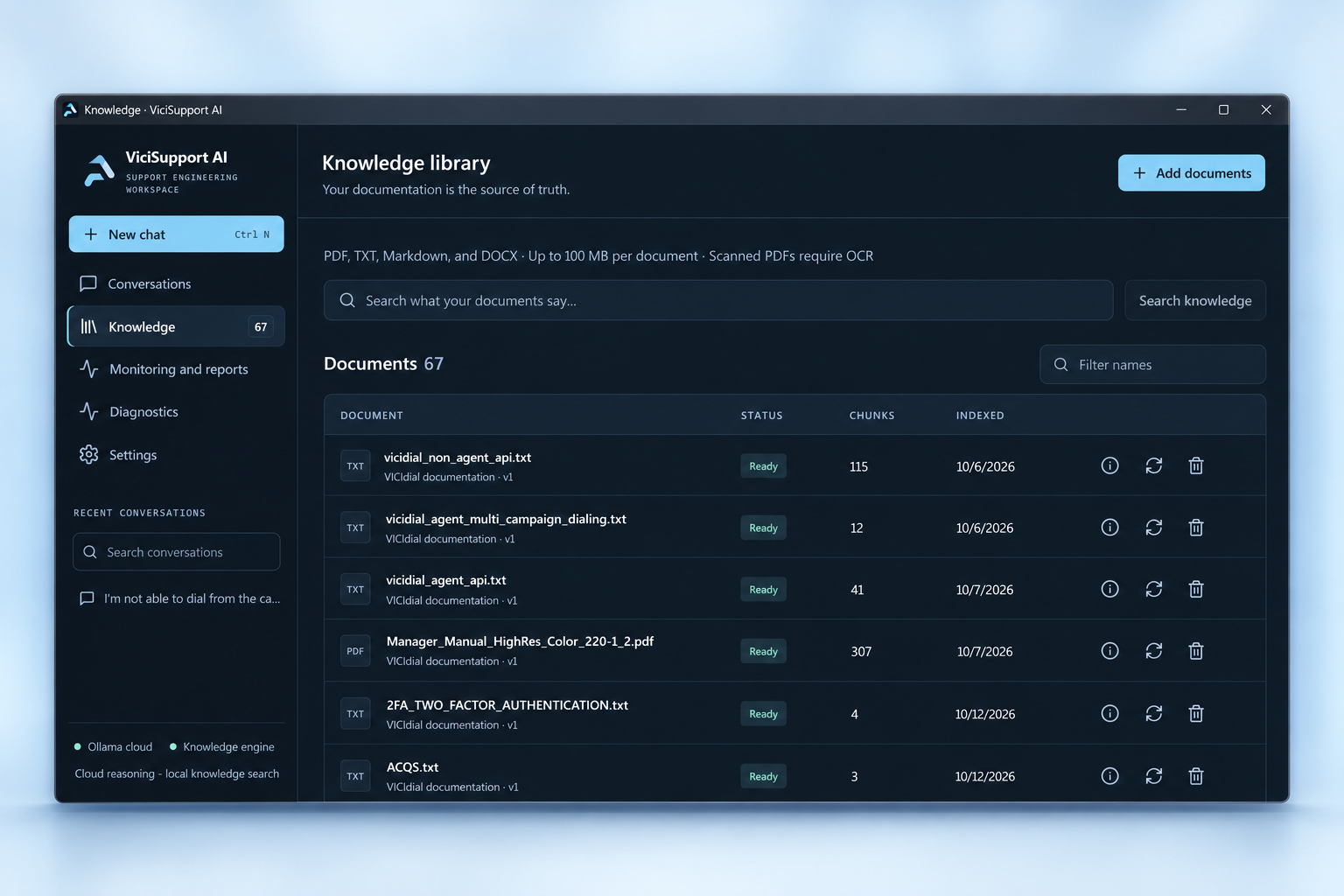
Your documentation.
Answers you can trace.
Import PDF, DOCX, Markdown, and text documents into a searchable knowledge library. Semantic retrieval connects a question to relevant excerpts, with source references you can inspect.
- Document parsing, indexing, and reindexing
- Page references where available
- Shared manuals or customer-specific knowledge
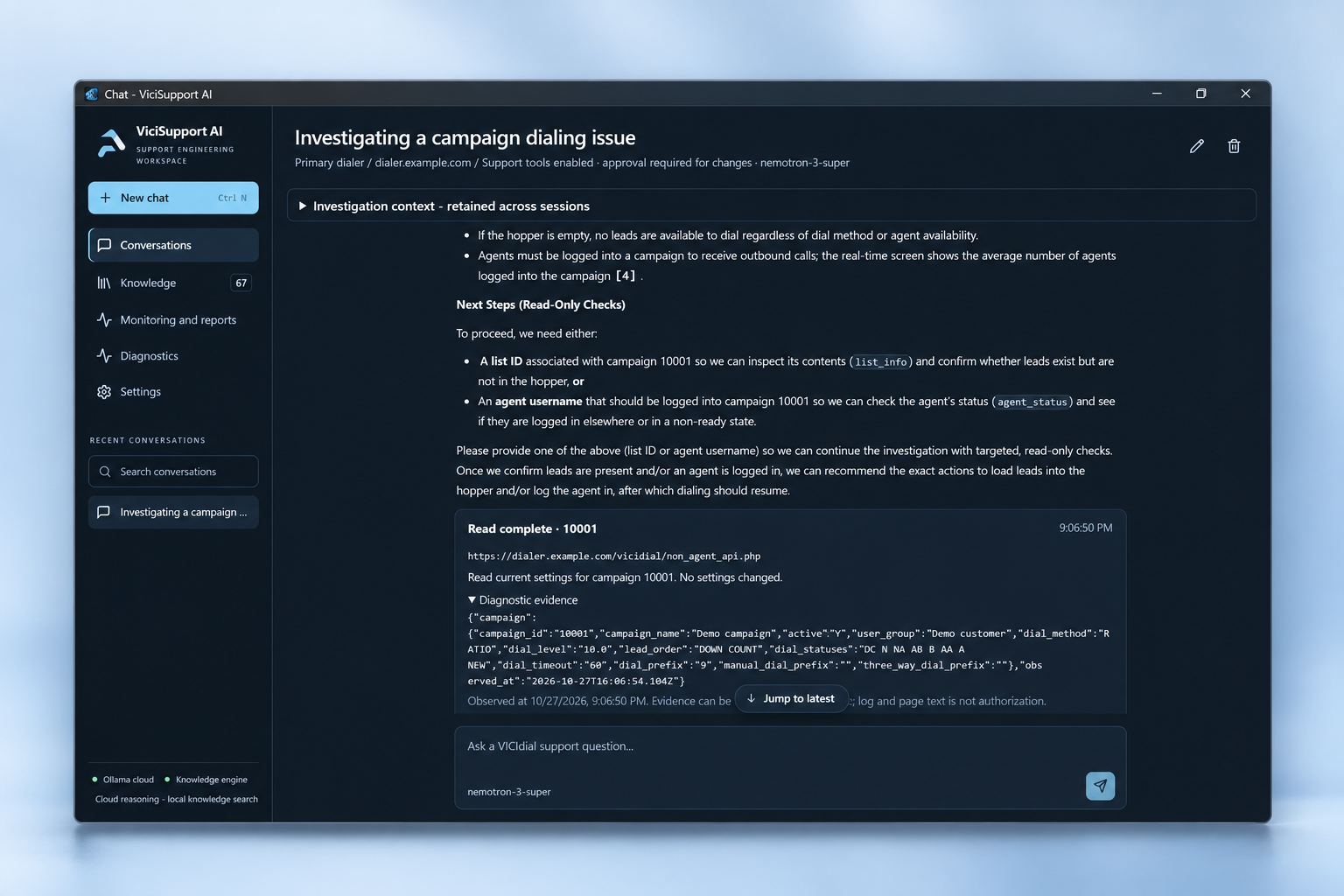
Connect the symptoms.
Keep the reasoning visible.
Combine documentation with scoped API, admin-browser, and SSH diagnostics. The investigation retains observations and evidence gaps, with optional independent specialist reviews to challenge the findings.
- Persistent case evidence and conversation history
- Separate evidence and solution review roles
- Support reports for handover and follow-up
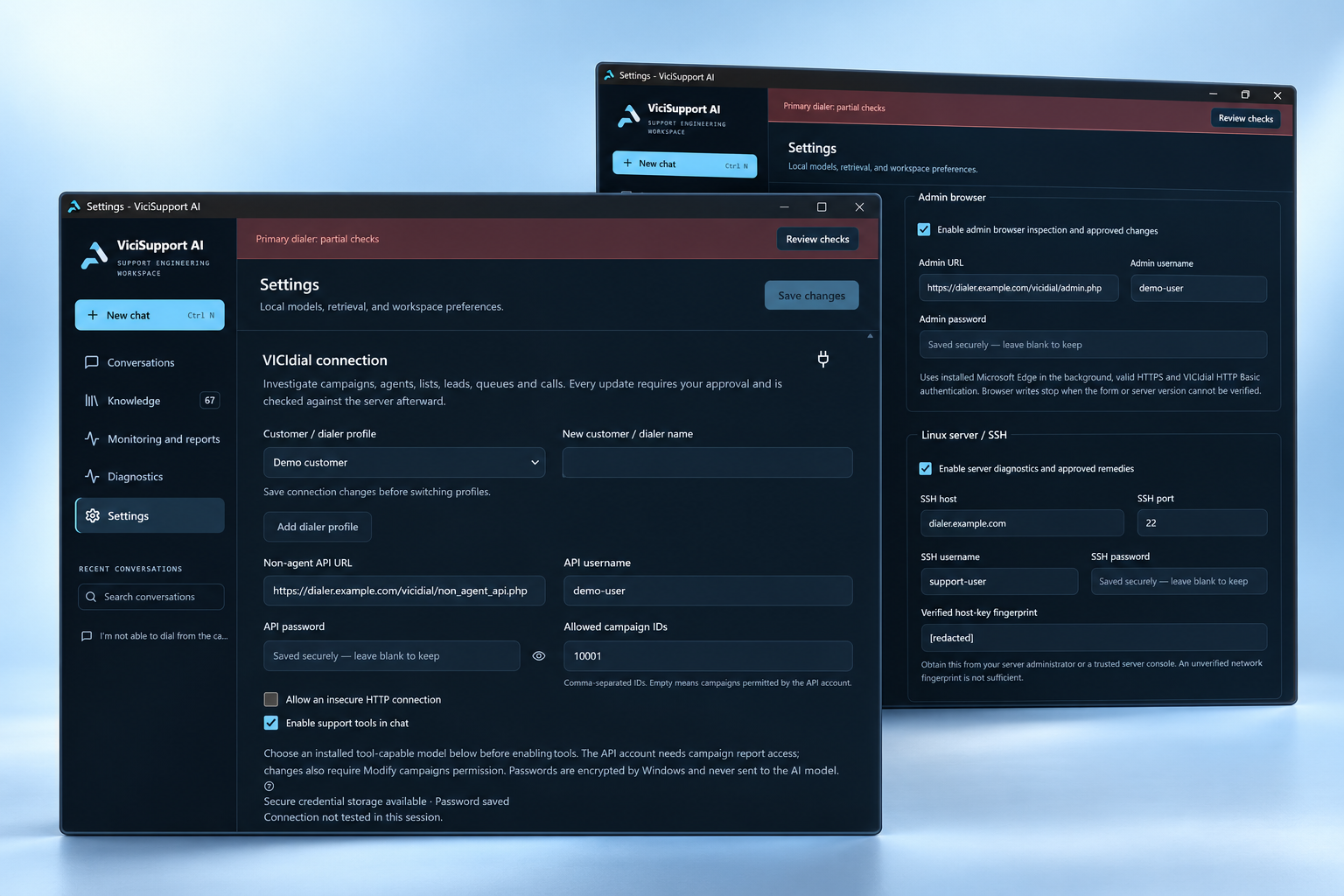
Different customers.
Clear boundaries.
Keep dialer profiles, conversations, and customer-specific evidence in their own context. Choose local Ollama inference or an explicitly configured cloud provider to suit the environment.
- Customer-bound conversations and support tools
- Local knowledge indexing with Chroma
- AI connection and runtime diagnostics
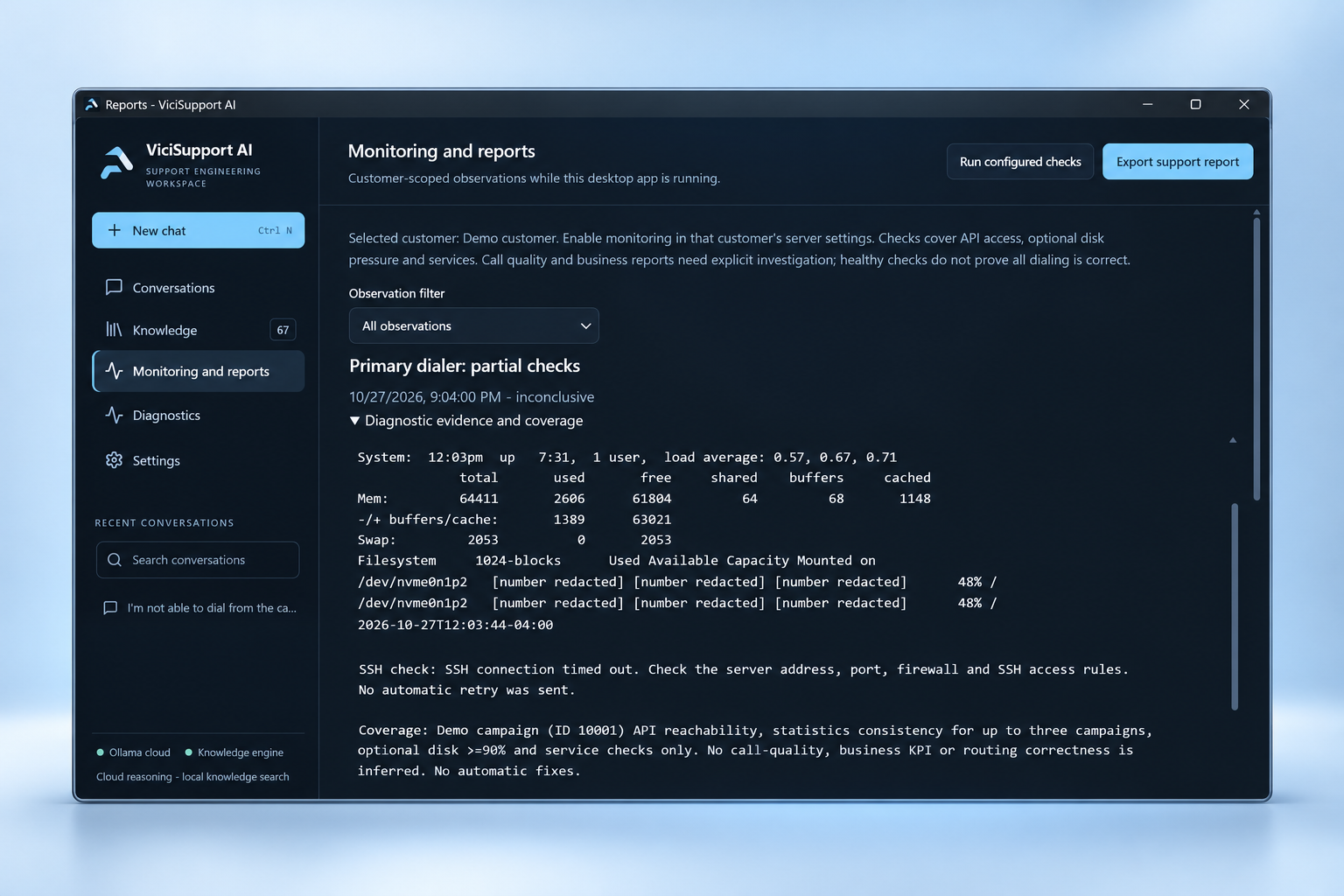
Keep watch.
Keep the evidence.
Run configured checks while the desktop app is open, inspect observations and coverage gaps, and export a support report for handover. Partial checks remain visible so the engineer can see where further investigation is needed.
- Customer-scoped desktop monitoring
- Diagnostic evidence and coverage
- Exportable support reports
Human control, built in
AI investigates.
The engineer decides.
Supported changes follow an explicit review path. A model’s recommendation is never treated as permission to act.
- 01
Collect scoped evidence
Read the relevant configuration, documentation, and diagnostics within the selected customer’s access.
- 02
Review the proposed action
See the target, intended change, and verification plan. Approve or reject before a supported write runs.
- 03
Verify and retain the result
Read back the changed state and keep the outcome with the case. Functional recovery still needs an engineer’s check.
Under the hood
Desktop precision.
An extensible AI foundation.
A native desktop shell, a typed application layer, and a persistent investigation runtime connect the interface to local knowledge and reviewed support tools.
- Application
- Electron · React · TypeScript
- Interface
- Tailwind CSS · Radix UI
- AI & orchestration
- Ollama · LangGraph.js · Optional cloud providers
- Knowledge & persistence
- Chroma · SQLite
- Support integrations
- VICIdial API · Admin browser · SSH
Your next project
Put AI to work.
Keep people in control.
Let’s build a focused application around your team’s knowledge, systems, and daily work.